Timing is half of gardening. Sow too early, and a late frost wipes out your seedlings; sow too late, and your tomatoes never ripen. A planting calendar app solves this by turning your location and local frost dates into a clear schedule of what to start indoors, direct sow, transplant, and harvest each week.
We compared six apps for garden planning that are available on the App Store and Google Play. Below you will find a quick comparison table, a short review of each app, and tips for choosing the one that fits your garden.

Gardening Apps at a Glance: Quick Comparison
All six gardening apps below run on iPhone and Android. Use this table to shortlist two or three, then read the reviews that follow.
| App | Free version | Paid price | Calendar based on | Standout feature |
| Seedtime | Yes, full calendar | Basic and Unlimited tiers | Local frost dates | Drag-and-drop dates that shift tasks |
| Planter | Yes, one garden | $24.99/year | Local frost dates | Square-foot layout grid |
| Seed to Spoon | Yes, 10 plants | $4.99/month or $46.99/year | GPS location | Growbot AI assistant |
| Gardenate | No | One-time, about $1.99 | Climate zone (6 countries) | Works fully offline |
| Gardenize | Yes, basic | $6.99/month or $34.99/year | Your own reminders | 45,000+ plant database |
| Moon & Garden | Yes, with ads | $0.99 to remove ads | Lunar cycle | Biodynamic daily tasks |
Prices are from the US App Store as of November 2026 and may differ by country or on Google Play.
1. Seedtime
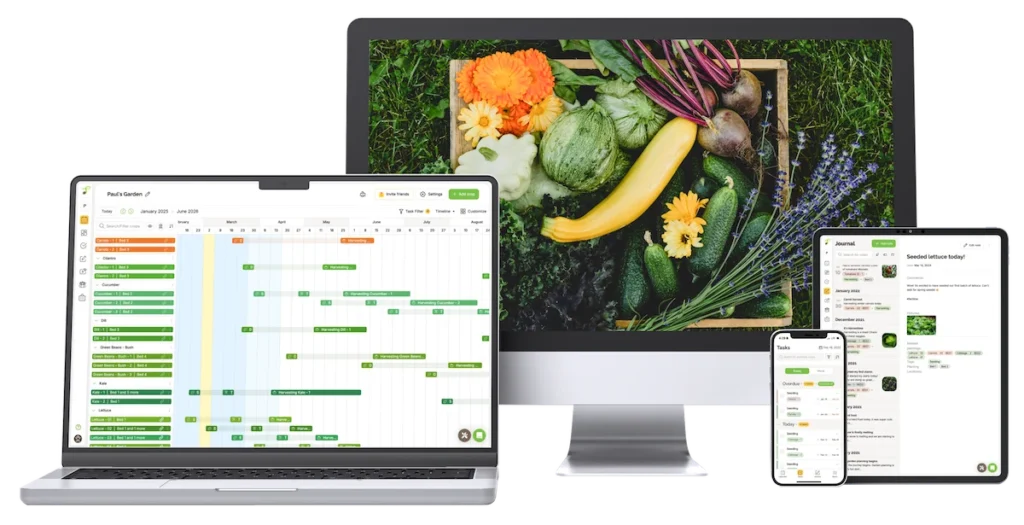
Seedtime is built around one idea: tell it where you garden, and it builds a planting calendar from your local frost data. Each crop gets seeding, transplant and harvest bars on a timeline. Drag a planting to a new week and every related date and task shifts with it.
The free plan now includes a layout planner for up to 8 beds, weekly to-dos, a journal, and video lessons in the Seedtime Classroom.
- Price: Free forever; paid Basic and Unlimited tiers add more layouts, custom crops and AI credits.
- Best for: Vegetable gardeners who want a clear week-by-week schedule.
- Key features: Frost-date calendar, succession planting, drag-and-drop dates, companion suggestions by zone.
2. Planter
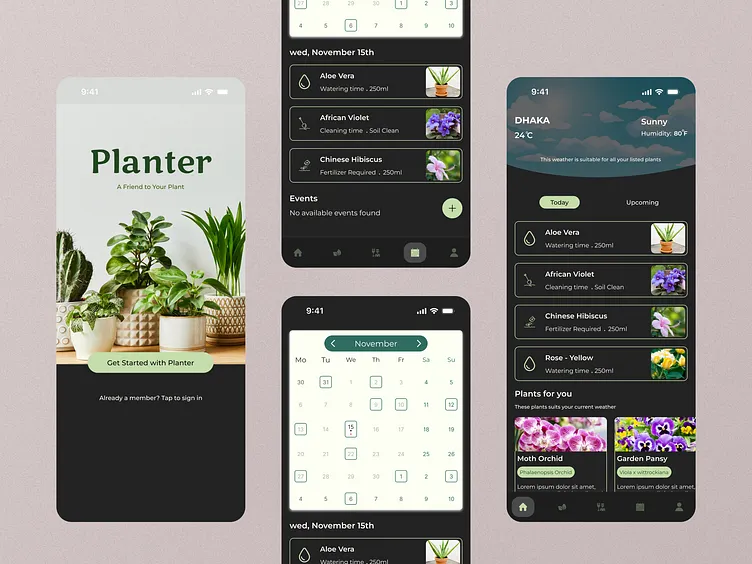
Planter pairs a square-foot layout grid with a planting calendar that shows when to start seeds or transplant in your area. Its database covers 100+ fruits and vegetables and thousands of varieties, each with companion and combative plant notes.
A SeedBox section tracks the seeds you own, and recent updates added round beds, towers, row planting and tasks that adjust as you go. It holds a 4.7 rating from 2.4K reviews on the App Store.
- Price: Free (one garden); Premium $24.99/year.
- Best for: Beginners and square-foot or raised-bed gardeners.
- Key features: Layout grid, frost-based planting calendar, companion alerts, seed inventory.
3. Seed to Spoon
This app uses your GPS location to calculate planting dates for 100+ foods and shows them on a color-coded calendar split into indoor and outdoor starts. You can override the predicted frost dates if your microclimate differs.
Log a planting and the app estimates sprouting and harvest dates for you. Growbot, a built-in AI chatbot, answers growing questions, and weather alerts warn you about frost or heat waves.
- Price: Free (10 tracked plants, 3 Growbot questions a day); Premium $4.99/month or $46.99/year.
- Best for: Edible gardeners who want guidance and quick answers.
- Key features: Location-based planting dates, AI assistant, weather alerts, visual garden layout.
4. Gardenate
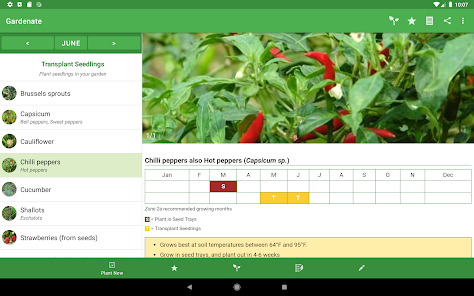
This is one of the oldest planting calendars on the App Store, first released in 2011. Pick your climate zone (Australia, Canada, New Zealand, South Africa, the UK or the USA) and the calendar lists what to sow this month across 90+ vegetables and herbs.
You can scan seed packets to add plants, log plantings in My Garden, set harvest reminders and export notes to CSV. Everything works offline.
- Price: One-time purchase of a few dollars ($1.99 on the US App Store); no subscription.
- Best for: Gardeners outside the US and anyone who dislikes subscriptions.
- Key features: Climate-zone calendar, seed packet scanning, harvest reminders, CSV export.
5. Gardenize
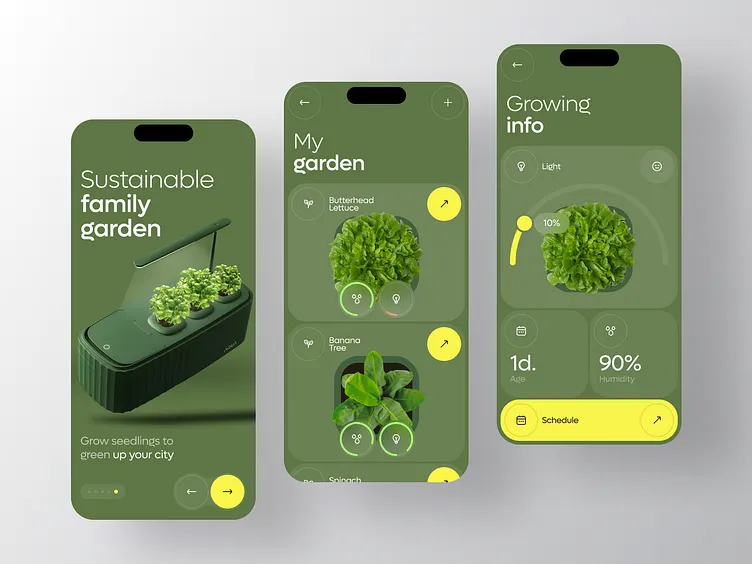
Gardenize works as a digital garden journal with a calendar at its core. You map garden areas, add plants from a database of 45,000+ species or identify them by photo, and log every sowing, pruning and harvest with pictures.
Reminders, notes and to-do lists appear in your calendar, so seasonal jobs never slip. It suits mixed gardens with flowers, shrubs and edibles, and it is available in eight languages.
- Price: Free basic plan; Gardenize Plus $6.99/month or $34.99/year, with a 14-day trial.
- Best for: Ornamental and mixed gardens, and gardeners who keep detailed records.
- Key features: Plant ID, recurring reminders, photo journal, data export (Plus).
6. Moon & Garden
Moon & Garden takes a different route: it schedules garden work by the lunar cycle, following biodynamic principles. Each day the app shows which tasks suit the moon’s position, such as sowing, transplanting, pruning or harvesting, and which plant types (fruit, flower, leaf or root) to focus on.
It does not replace frost-date planning, but many organic gardeners use it alongside a regular calendar. The interface is available in five languages.
- Price: Free with ads; $0.99 one-time to remove ads on the App Store.
- Best for: Organic and biodynamic gardeners who plant by the moon.
- Key features: Daily lunar calendar, task suggestions by plant type, multilingual interface.
How to Choose the Right Garden Planner App
The best garden planner app is the one whose calendar matches how and when you actually garden. Check these five points before you pay:
- Calendar logic. Frost-date apps (Seedtime, Planter, Seed to Spoon) give precise windows for vegetables. Gardenate uses broader climate zones, and Moon & Garden follows the moon.
- Location coverage. Most apps are tuned for North America. Gardenate covers six countries, and Gardenize supports eight languages.
- Layout tools. If you want to map beds and spacing, choose Planter or Seedtime.
- Pricing model. Subscriptions add up over several seasons. Gardenate and Moon & Garden cost a dollar or two, once.
- Free plan limits. Use the free version through one full sowing month before upgrading.
For most vegetable growers, Seedtime is the strongest free starting point, while Planter is the pick for visual bed planning. Choose Gardenate if you want a simple one-time purchase, and Gardenize if you grow flowers and shrubs as well as food.
Whichever you pick, enter your location first, because every planting date depends on it.
FAQ
What does a planting calendar app do?
It uses your location, frost dates or climate zone to tell you when to start seeds indoors, sow outdoors, transplant and harvest each crop. Most apps also send reminders so you don’t miss a window.
Are free apps for garden planning good enough?
For a small vegetable plot, yes. Seedtime’s free plan includes a full calendar and up to 8 beds, and Planter’s free version covers one garden. Paid tiers mainly add more gardens, AI help or data export.
Do these apps work outside the US?
Some do better than others. Gardenate has calendars for six countries, and Gardenize and Moon & Garden are multilingual. US-focused apps still work if you enter your own frost dates.
Does planting by the moon work?
Scientific evidence for lunar planting is limited, and results are mostly anecdotal. If you want to try it, use a lunar app alongside a frost-date calendar, not instead of one.